One hotkey — and every line on screen becomes yours, placed exactly where the original text was, in its size and colors. No mods. No black boxes over the art.
Join the free betaWindows 10/11 · single 74 MB download · no GPU required · anti-cheat safe
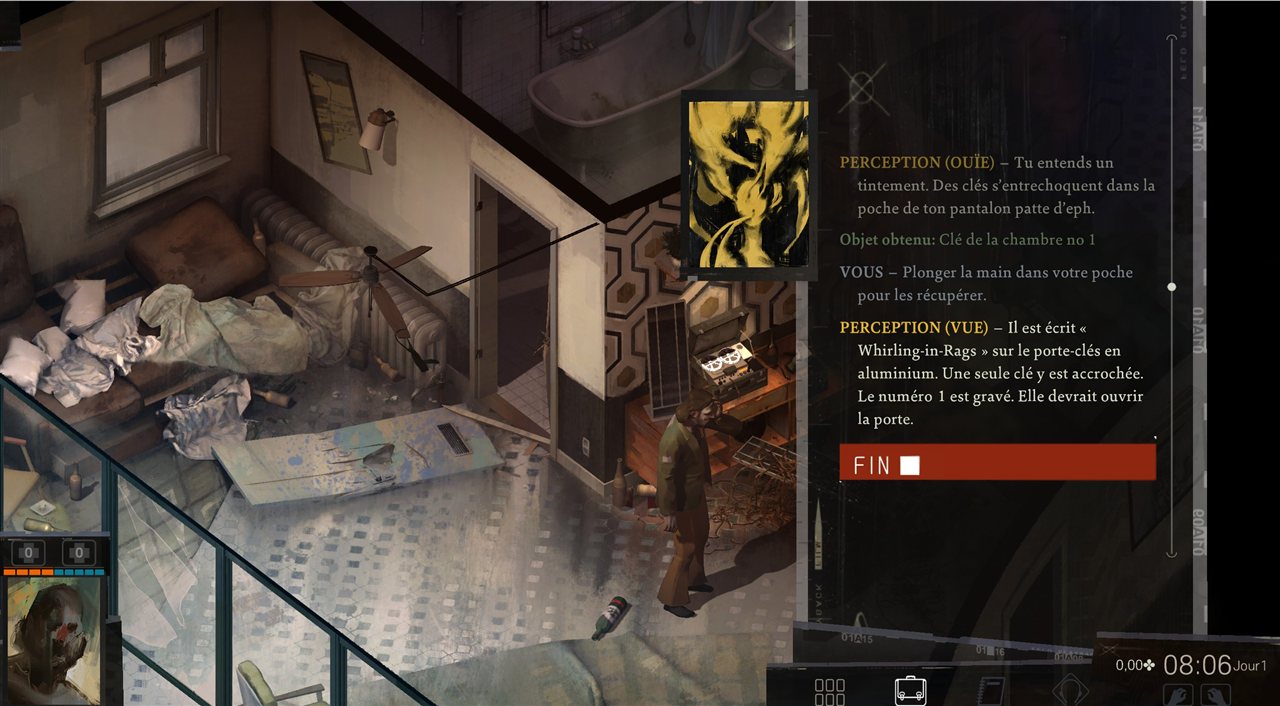
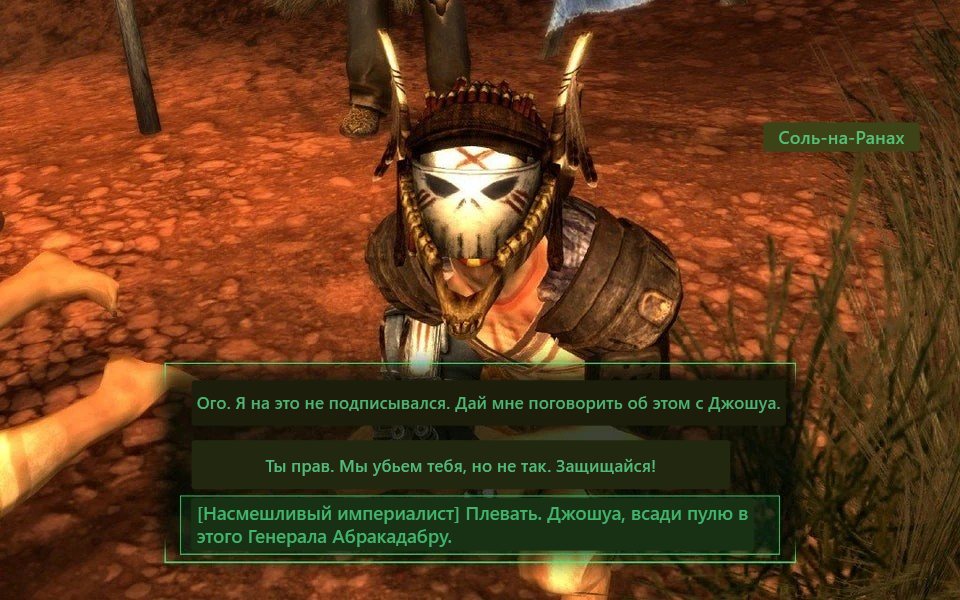
Drag the slider. Other screen translators cover games with grey rectangles — PolyScreen redraws the text like the localization shipped with the game.
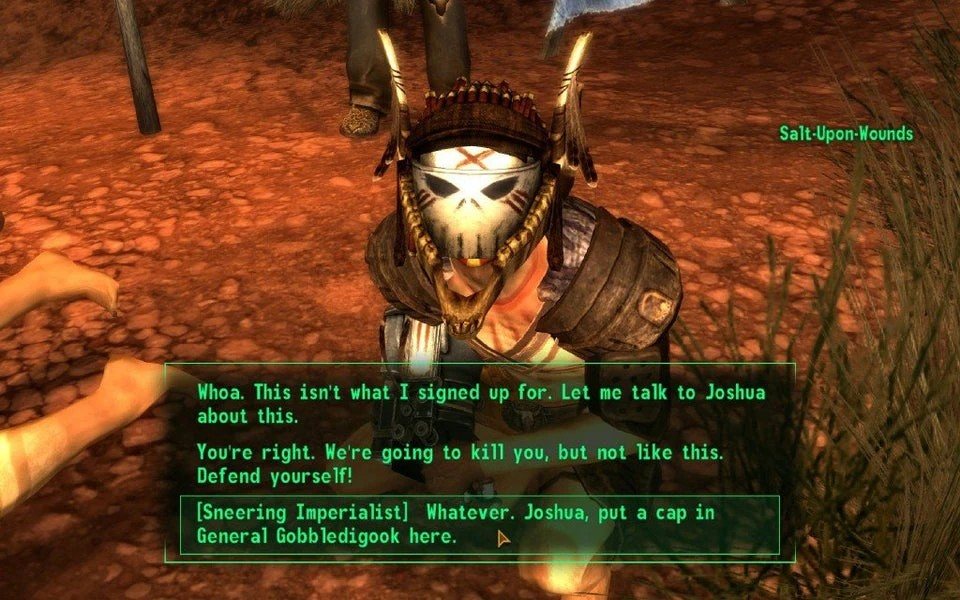
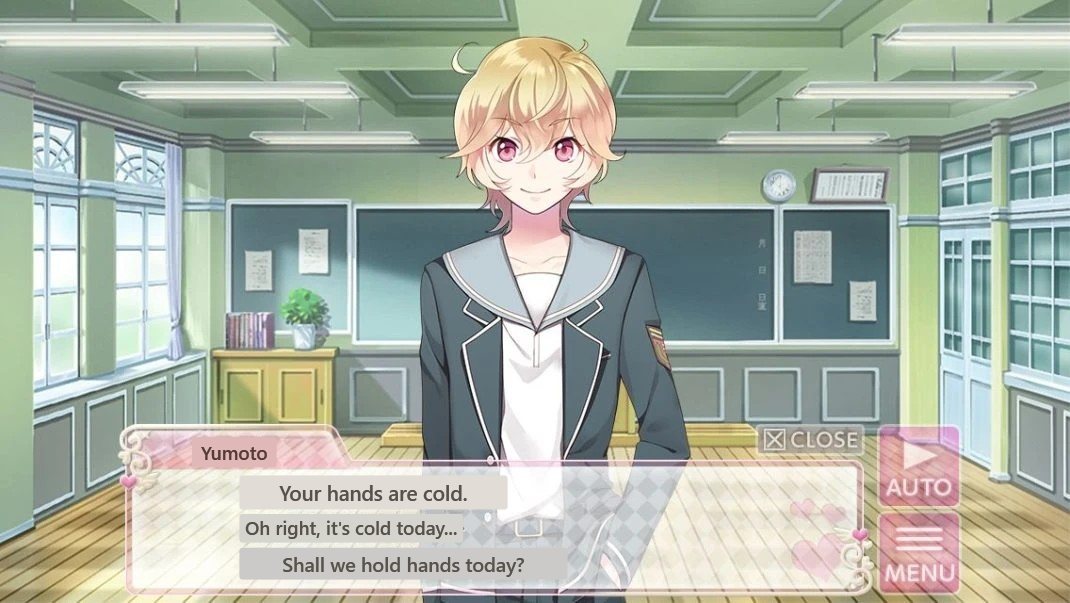
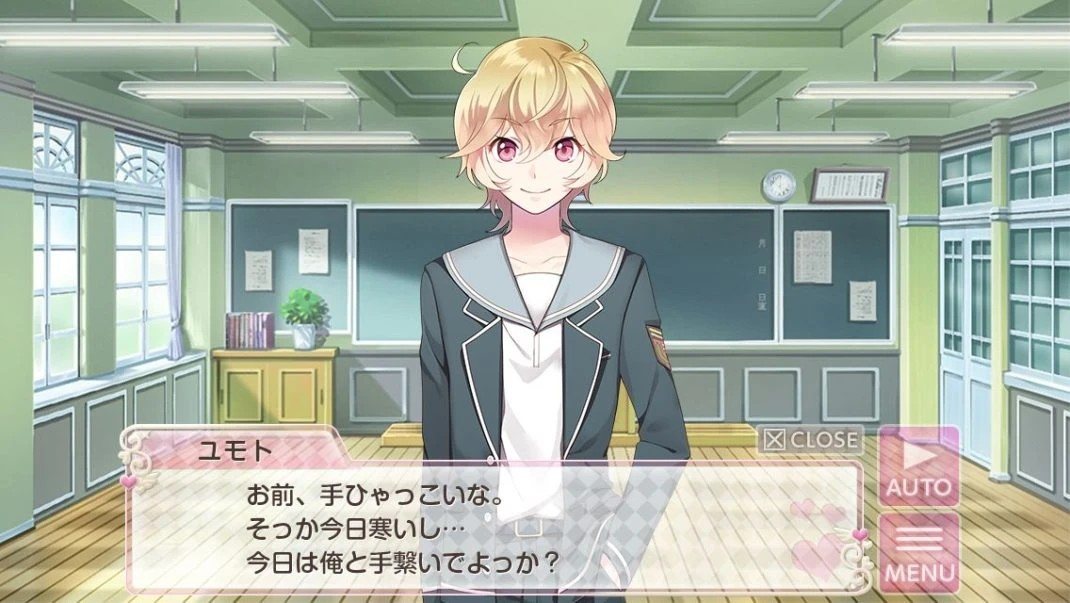
ORIGINALPOLYSCREEN
Visual novel — dialogue translated in place, background art untouched
ORIGINALPOLYSCREEN
AAA RPG — full menu, logo and art left exactly as designed
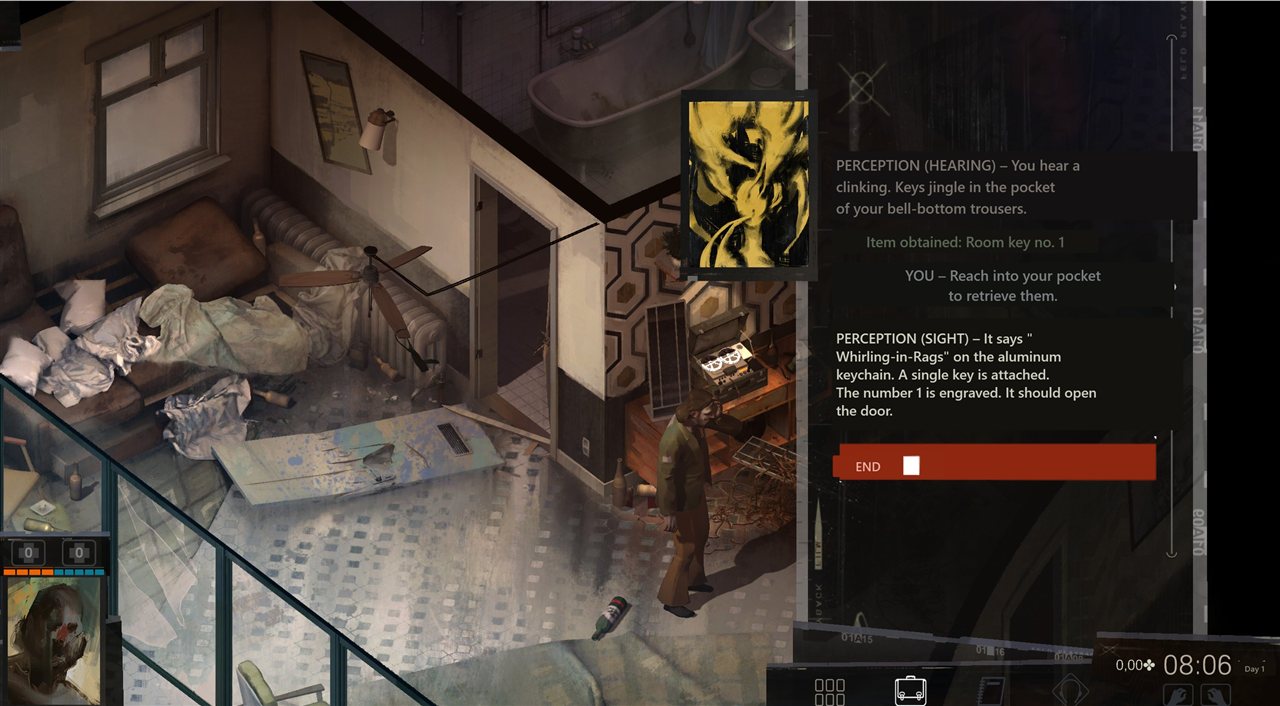
ORIGINALPOLYSCREEN
Story-heavy CRPG — plates take the color and type size of each UI element
Or turn on Auto mode — translation appears by itself whenever new text shows up and disappears when you move on. No regions to draw, no setup.
A vision LLM translates everything with full-scene context, and a per-game glossary keeps names and terms consistent across the whole playthrough.
Local OCR anchors every line to the pixel. Translations match the original's position, size and colors — the game's art direction stays intact.
No grey boxes over artwork. Logos, paintings and decorative text are left alone; only real text is replaced.
First translated line in about a second. Revisited dialogue is instant and free thanks to smart caching.
Reads the screen like a streaming tool. Never injects into the game process, never touches game files.
Japanese RPG into Spanish, English indie into Portuguese, Korean VN into Turkish — 15+ target languages.
PolyScreen is a free tool, not a subscription trap. It works out of the box with a built-in daily translation quota. Play a lot? Paste your own free Gemini key (takes ~2 minutes, one button in the app) — and there are no limits at all.
Get the beta build